The future of generative interfaces
My fascination with generative interfaces began in college, studying architecture at UCLA. A Processing demo by Casey Reas in 2012 challenged my understanding of how art gets made: is the artist the algorithm, or its creator? Twelve years later I’m asking a bigger version of the same question: could the artist be a collaboration between human and AI, with the interface itself as a co-creator?
Design generation has had two paradigms so far. Parametric design is algorithm-driven, with the user setting the parameters. AI generation learns from data to create new designs. Now we’re entering a third: AI-generated interfaces.
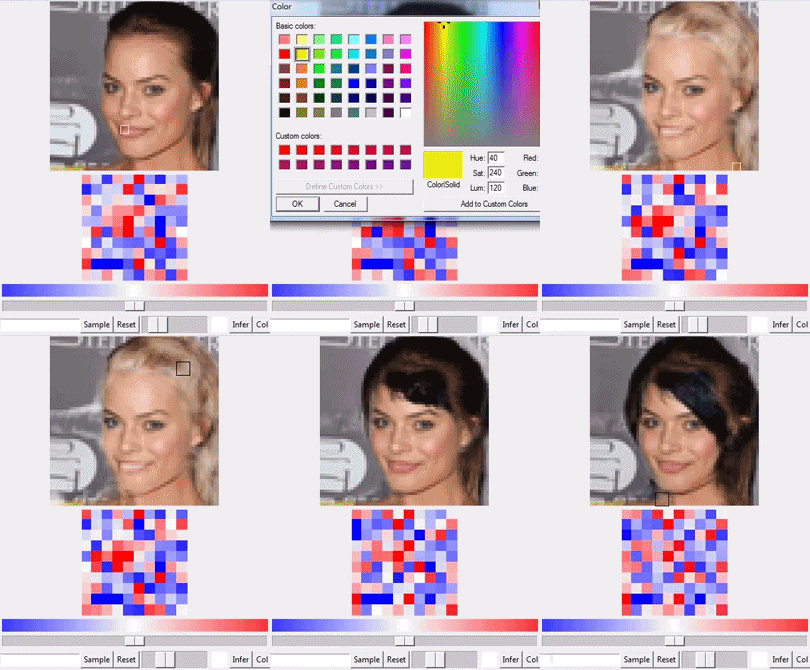
Neural Photo Editing with Introspective Adversarial Networks (2016)
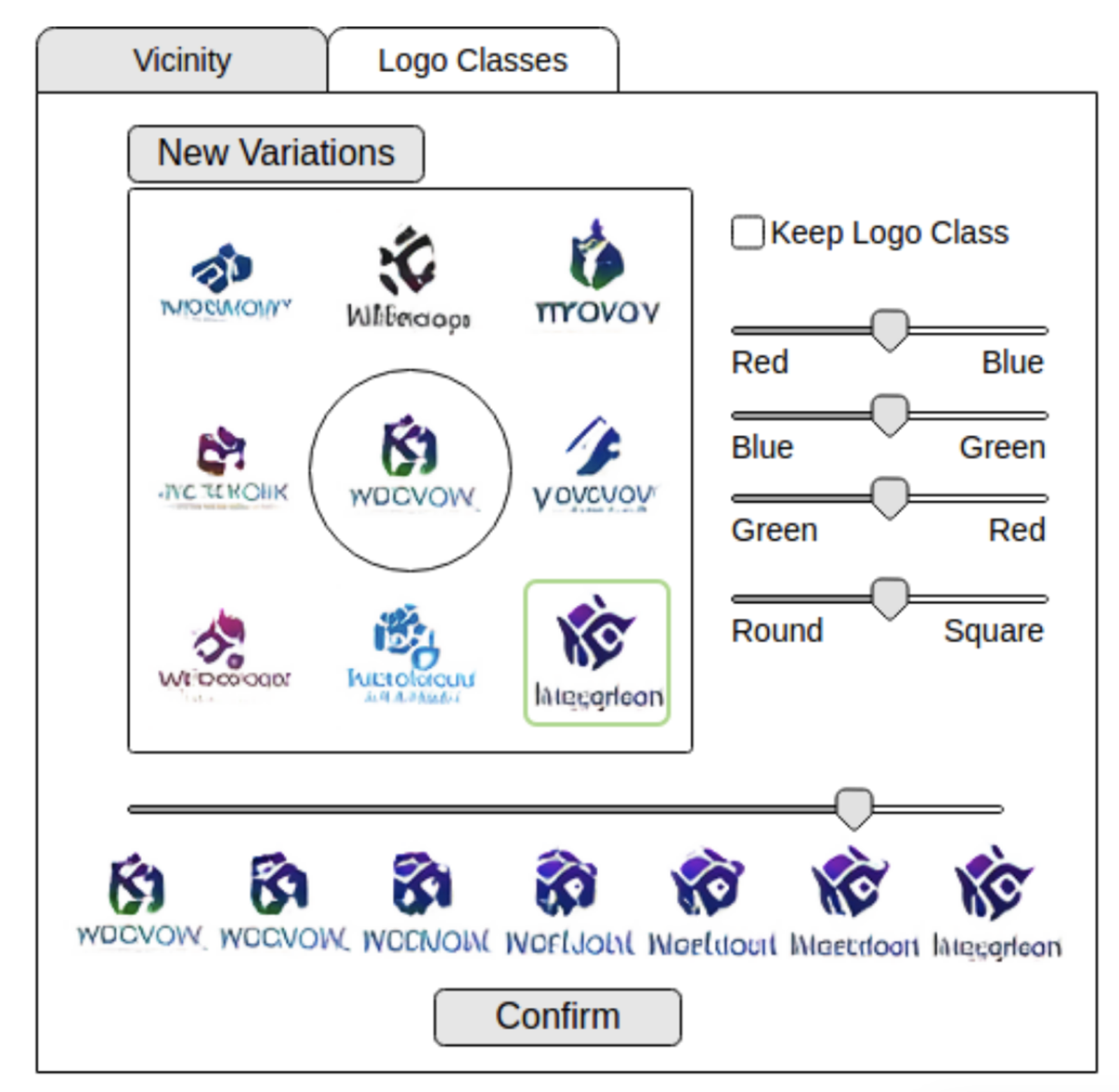
Logo Synthesis and Manipulation with Clustered Generative Adversarial Networks (2017)
Imagine working on a 3D architectural model. You ask for more rooms, the rooms appear, and so does a slider for adjusting the room count yourself, generated from the context of your work. The AI is making changes, and it’s also crafting the tools you use to make your own. The interface itself becomes part of the creative process.
The power of AI-generated interfaces comes from real-time interaction. Generative AI today suffers from latency: you prompt, you wait, you look at what came back. These new interfaces could have the responsiveness of a video game controller. Combine the speed of parametric design with the adaptability of AI and you could adjust a complex 3D model with the same immediacy as moving a game character. That quick feedback loop is also what keeps the user in control of the process.
Early versions already exist. ComfyUI is bringing Grasshopper-like capabilities to diffusion models, and GLIGEN is stretching what a non-realtime diffusion interface can do. The approach I’m most excited about is Krea’s: use anything on your screen as context for the model, and watch the output update in real time.
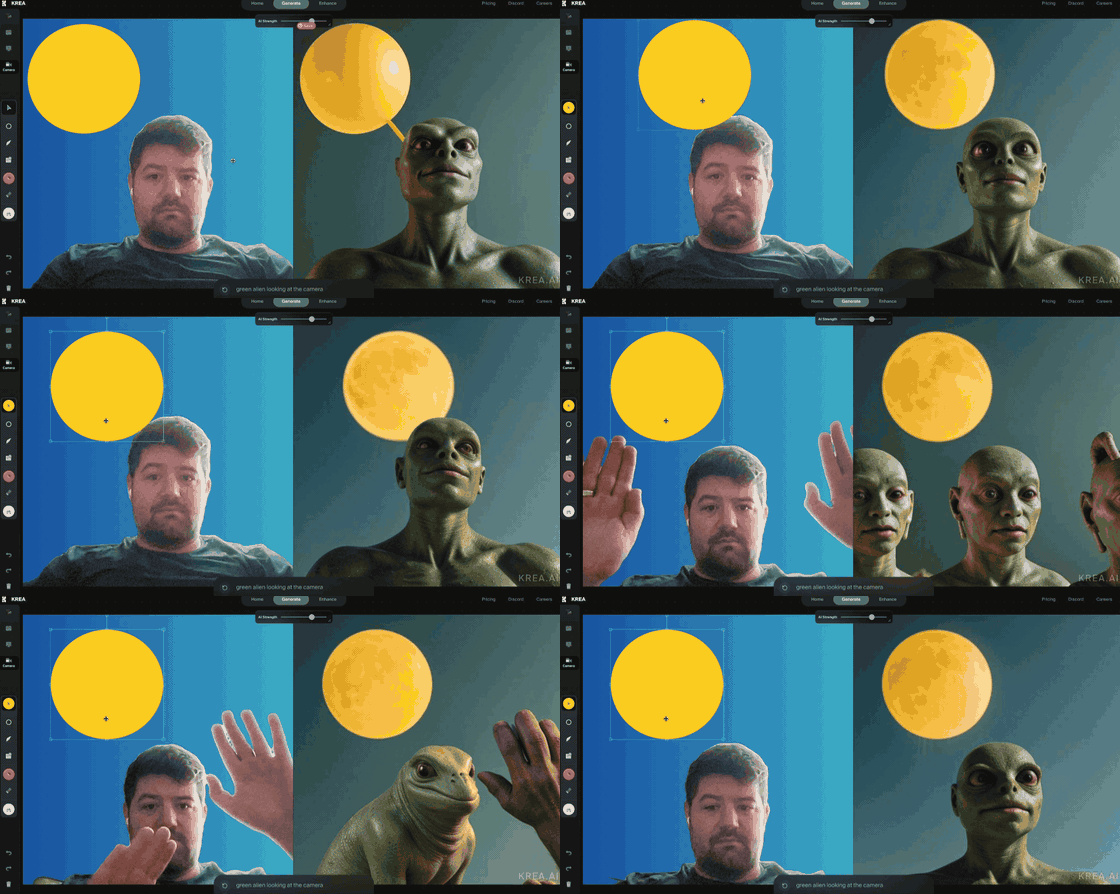
Krea’s real-time canvas (2024)
Mainstream design tools are showing glimpses of this too. At their Config conference this year, Figma previewed Adjust tone for AI-generated text: a 2D pad where you drag between casual and professional, concise and expanded, and the text follows.
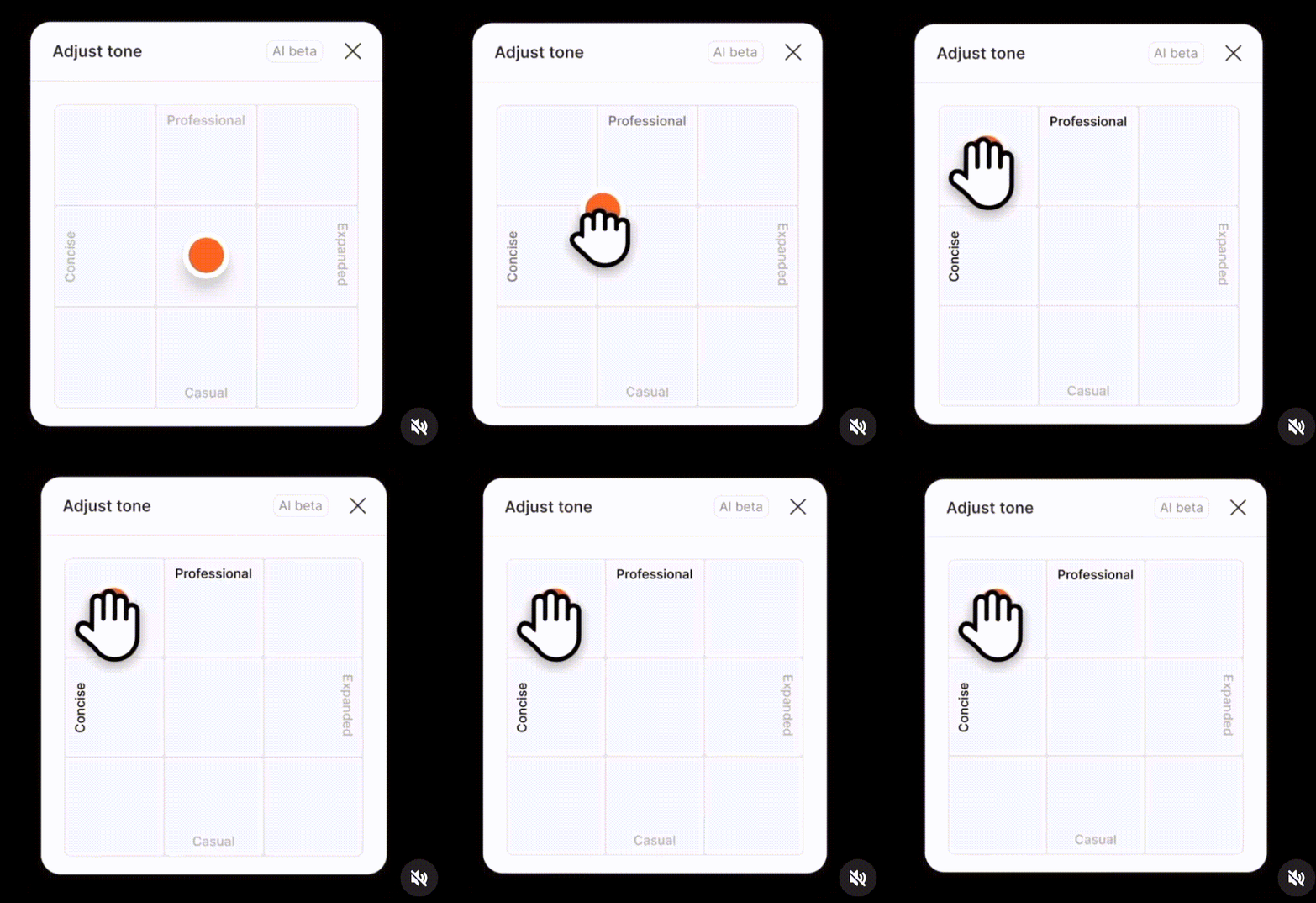
Figma’s Adjust tone (Config 2024)
You can point the same pattern at almost any creative tool: a color palette adjuster generated for the specific logo you’re designing, trimming tools that understand the content of your footage, visualization controls built from the patterns in your dataset.
There are hard problems here. Generating interfaces from user behavior takes data about that behavior, so privacy matters. Adaptability can add complexity as easily as it removes it. And if every user’s interface is different, keeping tools consistent and learnable across applications gets harder.
For those of us building generative AI products, a few places to focus:
- Cut latency however you can: model optimization, caching, hybrid parametric-AI approaches.
- Move past text prompts to multimodal input, and make sure generated interfaces add to the user’s agency rather than replacing it.
- Push more computation to the client, for responsiveness and for privacy.
- Bridge the paradigms: the control of parametric design, the power of generative AI, the adaptability of AI-generated interfaces.
The next breakthroughs won’t come from better models alone. They’ll come from interfaces generated as dynamically as the work itself. What’s the next one you’re going to prototype?